


As I said, social inputs play a point in favour of this process. Something that has worked for me is increasing the frequency of updates around social media posts. To do that, there’s nothing better than rescuing old high-value content. I’ll tell you how to do it thanks to IFTTT in Spanish.
Today, I’m here to talk to you about Discover, the new paradigm that’s “blowing up” in the micro-world of SEO. This new way of expanding content is brutal for any webmaster, as it doesn’t even need an initial search intention from the user to show your content. It’s cool, right? Well, the truth is that it is, and today I want to share some tricks and experiments I’ve done, as well as their results.
A lot has already been written about Discover, I think I won’t add much if I get too caught up in the usual stuff. There are already posts that can provide very relevant information, and I recommend you read them. Assuming Google’s brief description, we can already get an idea that user inputs are key.
Discover cards are ordered based on algorithms that try to determine the content that users will find most interesting. Specifically, the position of the cards is based on the degree of coincidence between the content of an article and the user’s interests, so the only way to improve the positioning of your pages is to publish content that you think will interest users.
Contenidos
Optimise your website for Google Discover
I’ll give you some tips that have worked for me on some projects. They’re very brief, I expand on them more in the podcast I just published, so if you want more details, listen to it and give me all the feedback and ideas you can, so we can learn together.
Before I continue, I insist that this content is based on my experiences and experiences; to give you an idea, I’ve managed to increase traffic on some of my projects by more than 70%. I’m not here to lecture on anything, the intention is to share everything I can with you. But, I won’t ramble on anymore, and here are my tips.
Publish high-quality images.
Google recommends 1200 pixels wide for your featured images. I’m using 1080p covers in WEBP format because I understand that my audience is not just on Google Discover, but also on high-resolution tablets, consoles, and TVs. It’s basically thinking about the future, and you’ll also meet the requirement for Discover.
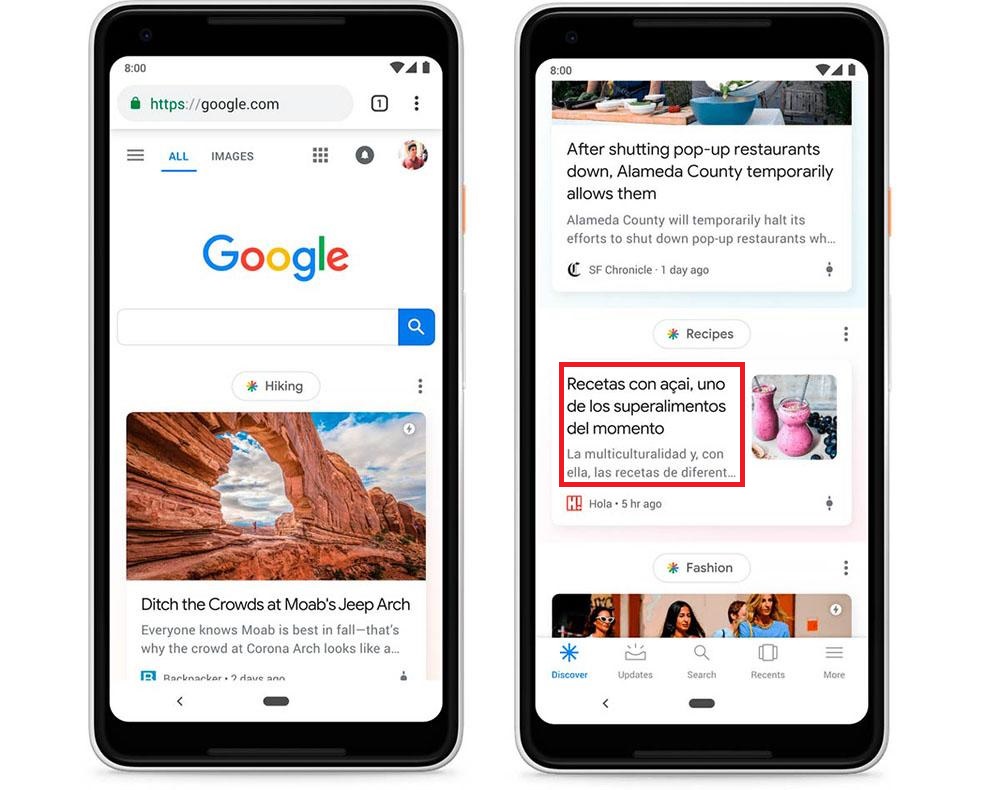
I advise you to use attractive images that fit your brand and are as personal as possible. Discover shows cards that consist of image + title + brief description. Nothing more. That’s why you’ll understand the importance of making the important things visible to win over the visitor.
You should be brief in your titles and descriptions.
Attractive and brief titles
I set a rule for myself not to exceed 60/80 characters in my titles. Obviously, you won’t always be able to, but this service may not show more than that number, so the more you condense it, the better. Also, think that it doesn’t use the metatitle generated by Yoast or any other SEO plugin, so it must be the actual title of the post, the one users see on your website.
There’s been talk about adding the date to the title, but I haven’t noticed any improvement with that. But SEO is about experimenting, so I invite you to try it.
Generate inputs from your users
Google Discover uses machine learning, so it learns from the user. To do this, it records events on smartphones and Google products and presents results that it considers relevant to the user. That’s why generating inputs is vital. How to do it?
- Work on social media, get likes and shares. In short, expand your content.
- Use email marketing campaigns.
- Run digital ad campaigns. This guarantees interactions with your content.
- Work on SEO standards. Have rich snippets installed, bet on AMP to climb positions in organic traffic… etc.
Discover prioritises content that follows Google News practices, so try to work on at least one post a week that meets this format.
High-quality content
If you’re here, you should already know that your content can’t be rubbish. Work on it, study your competition, and generate texts and visual materials that are as polished as possible. Only then will you attract users again. If you want to know how to work on content to appear on Google Discover, I explain some at the end of the programme.