



Vencimientos Ninja for Dolibarr ERP/CRM – Advanced Due Date & Split Payment Management
83,49 € incl. VAT
Optimize your company’s cash flow and take full control over your invoice collections with Vencimientos Ninja. This module resolves Dolibarr’s native limitations by calculating the actual due date based on the invoice issuance date (avoiding errors derived from delivery notes) and introducing a “Fixed payment day” per customer. Additionally, it allows you to define composite payment methods with unlimited split installments and custom percentages, including a powerful centralized management panel to adjust due dates and notes on the fly.
Platform compatibility
Versión Min.: 16 – Versión Max.: 23
Versión PHP Min.: 7.4 – Versión PHP Max.: 8.3
Supported languages:: 16
Note: All our modules come with 6 months of completely free support.
How it works
- Customer fixed payment day: Adds a new table and a “Payment day” field to each third-party profile. Allows setting a specific day of the month to automatically generate due dates. If undefined, it calculates based on the usual payment method. Includes smart logic for month-end invoices, ensuring the final term is never shorter than the agreed-upon days.
- Precise validation by issuance date: Always uses the actual creation date of the invoice as the base validator. Resolves the common issue where invoices generated from delivery notes or shipments inherited the dispatch date instead of the billing date.
- Multiple and configurable payment methods: Allows linking different due date installments to a single payment method and assigning the exact percentage of each installment over the invoice total.
- Centralized and agile management: Features a comprehensive financial control panel to review, modify, and annotate due dates without needing to navigate invoice by invoice.
Dolibarr Panel Integration
Upon activating the module, two main new options are integrated into the Financial section:
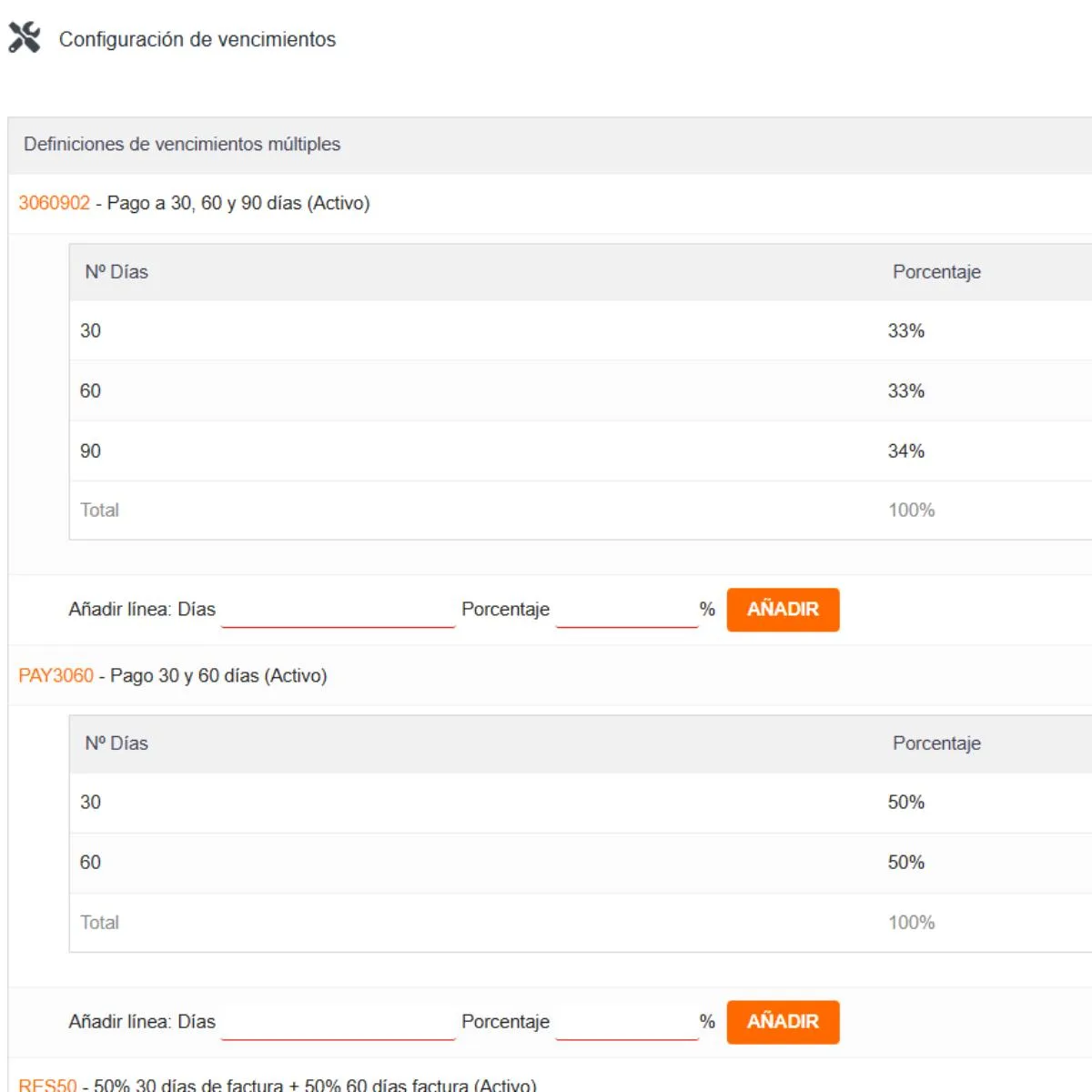
- Setup (Multiple due dates): Allows creating new split payment methods without altering native system rules. Simply specify the incremental days per line and the corresponding percentage installment.
- Example 1 (30/60 Payment at 50%): A €1,000 invoice generates a first due date of €500 at 30 days and a second due date of €500 at 60 days.
- Example 2 (30/60 Payment at 10%/90%): A €1,000 invoice generates a first installment of €100 at 30 days and a remaining €900 at 60 days.
- Dedicated tab in Invoices: Each invoice includes a new “Due Dates” tab, allowing quick auditing of assigned installments and amounts.
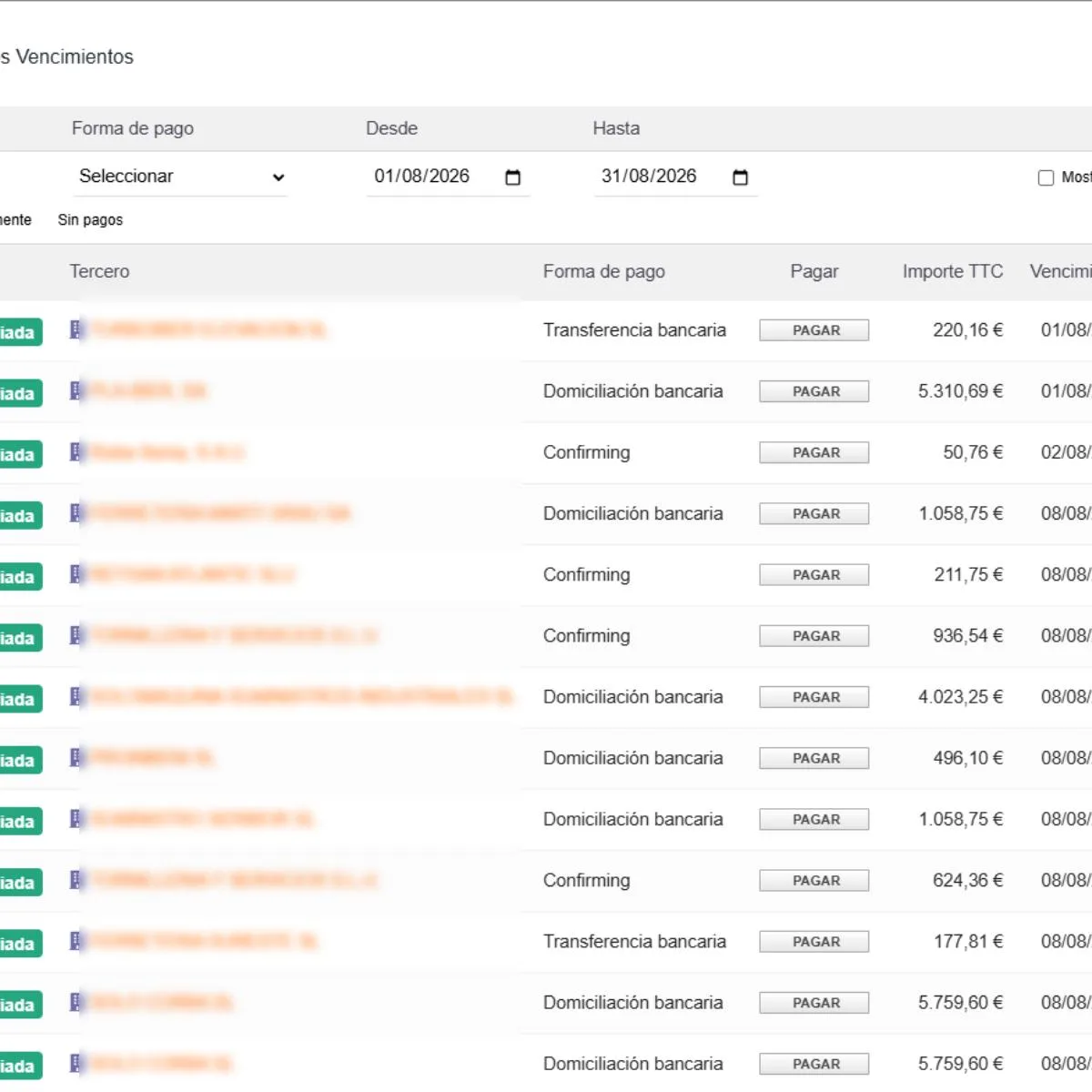
- Due Date Report: Interactive panel to audit due date history (past, present, and future) using filters by customer and date range.
Due Date Report Features
The unified dashboard displays key data and offers direct actions to optimize daily workflow:
- Document and third-party details: Direct links to the invoice and the customer profile.
- Total Amount (TTC): Display of the total operation amount.
- Due date breakdown: Clear detail of dates and amounts for each installment (single or multiple).
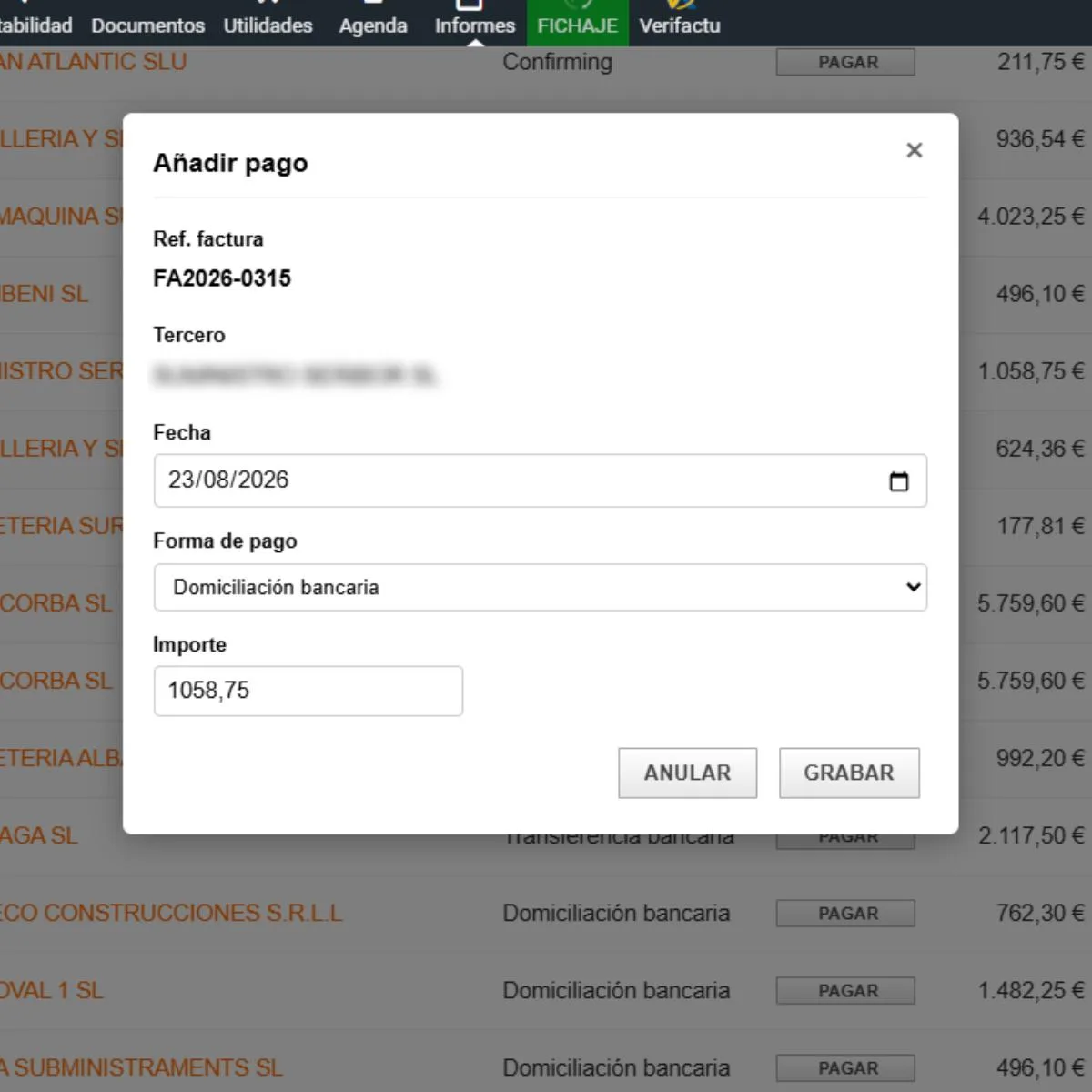
- On-the-fly date editing: Integrated calendar picker to immediately modify a due date without opening the invoice.
- Private notes: Field to add tracking comments directly on the invoice.
- Excel / CSV Export: Download button to export filtered lists to spreadsheets.