


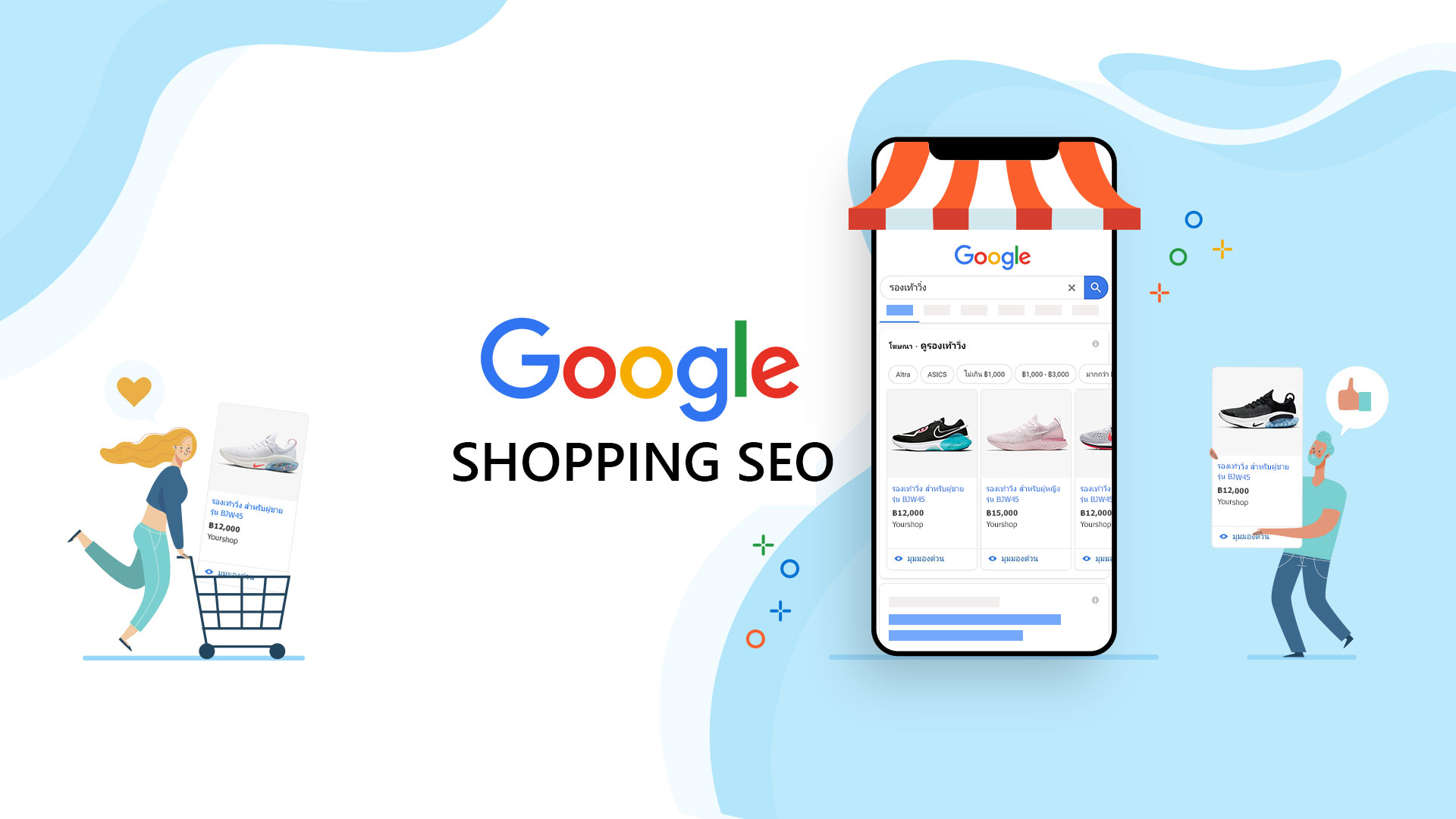
Everyone is now going crazy about the new possibilities offered by Google by adding your product feed to Google Shopping for free. Until now, if you wanted to appear here, you had to pay for a Google ad campaign. I insist, it was an essential requirement to appear in this tab.
To take advantage of all this, you will need to sign up for Google Merchant Center and start uploading your product feeds so that they can be seen by users.
Contenidos
What is Google Shopping?
But the question you’re probably asking yourself now is ‘What is Google Shopping and what can it bring to my business?’ I’ll summarize it quickly for you in case you don’t know what it is today. It’s a tab within the Google search engine that recommends products. Nothing more, nothing less. There’s been a lot of talk about how the people at Mountain View want to make it possible for users to buy from the search results pages without leaving them, but that’s a whole different story.
It’s a kind of area where the user searches directly for products and nothing else. Thanks to this tab, there are some filters that are enabled, making it easier for the potential buyer to find you.
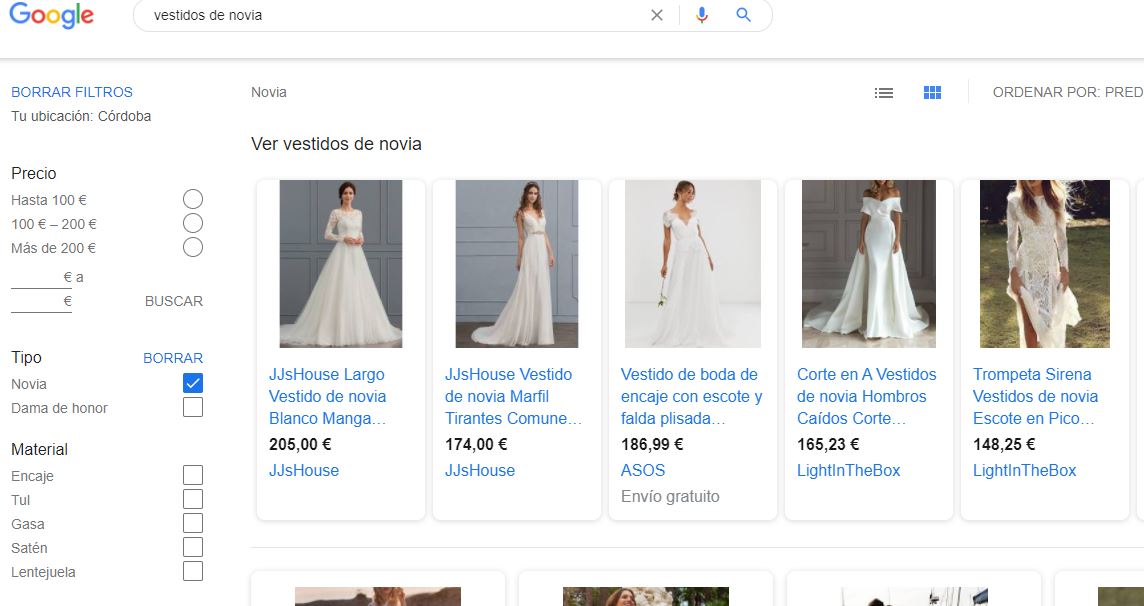
A search for wedding dresses on Shopping.
The fact that you can now include listings for free is a good plus for small businesses, but for highly competitive products, you’ll still need to support yourself with an Ads campaign.
SEO for Google Shopping
Before anything else, let me clarify that, unlike conventional search results, SEO for Shopping is different since Google doesn’t “scrape” the data, but rather you have to provide it in a feed, either in XML or Google Sheets. With that concept clear, let’s see how we can improve the visibility of our products.
Optimize the title
As I said, we’re the ones who provide the text to Google, not the other way around, so a good strategy is to include some keywords and attributes in the product title. A common mistake I see is that only the product name is used, without anything to help the buyer or Google understand what’s behind it.
Something that works for me is to include the brand in a natural way. For example: “Adidas sports shoe – Broomfield model in black“. Here, you see that “sports shoe” is the keyword, “Adidas” is the brand search I want to add, and the attribute “black” further segments our product.
Be careful not to use the title to put hundreds of keyword combinations. Use only the one you think converts best and can help the visitor find you.
Optimize the description
Since the title is too short, the description is key if we want the visitor to end up buying when they see our result. Here, we can also include some additional keywords. Going back to the example of the shoes, a good description could be:
Adidas sports shoe – Broomfield model in black
Designed for running, training, and pairing with any type of pants. This footwear is one of the best alternatives on the market.
As you can see, we’re not only adding additional keywords like “footwear”, but also making the description attractive to the buyer.
Optimize images
There’s no big secret here, it’s what you would do with a normal post or product in your store. Take care to respect this small checklist:
- Use attractive and attention-grabbing images.
- Optimize image size so it doesn’t weigh too much.
- Use keywords in the ALT and titles.
- If you sell a generic product, try to use a different image from the competition to stand out more.
Optimizing CTR for Google Shopping
Up to this point, we could say that the pure SEO optimization in Shopping is over. What comes next is the optimization of the product feed itself to improve the CTR and make you lead the top positions. CTR is fundamental in Shopping and determines the freshness of a product. So, take these parameters into account.
Set update rules
Google will retrieve your product feed or feeds at a certain time, but it’s up to you to set the pace. Without overdoing it, but the more frequent, the better. I strongly recommend using the “Scheduled retrieval” option so that Google connects to your server and extracts the feed. If you use WordPress, you can use some of the plugins in the repository to generate the feed automatically.
I use WooCommerce Product Feed for my clients who use WooCommerce, it’s an extremely powerful plugin. If they use Prestashop as an alternative, the Shopping Feed in 3 minutes module works well. For Magento, it’s more complicated, but there are options.
Empower reviews
Product reviews have a fundamental impact, and while reviews are not a ranking factor, they are a key element for the user to trust your product and not the competition. Whenever possible, work on reviews for your products.
Adjust the price
In Shopping, there’s a price filter by default, and the customer can also sort from lowest to highest. Therefore, being competitive in this aspect is key. You need to do your math and study competitor prices. Be careful not to fall into the trap of giving prices without taxes, even though some people upload the feed that way, if you do, you’ll be violating the service’s policies. This is what Google says.
Taxes are a fundamental part of the total price that a user must pay for a product, and our users often tell us that incorrect taxes are a headache. If the tax information you send to Shopping ads is adequate, online buyers will see the correct total prices.
Providing incorrect tax information on a large scale can also lead to the suspension of your account.
Extra data for products
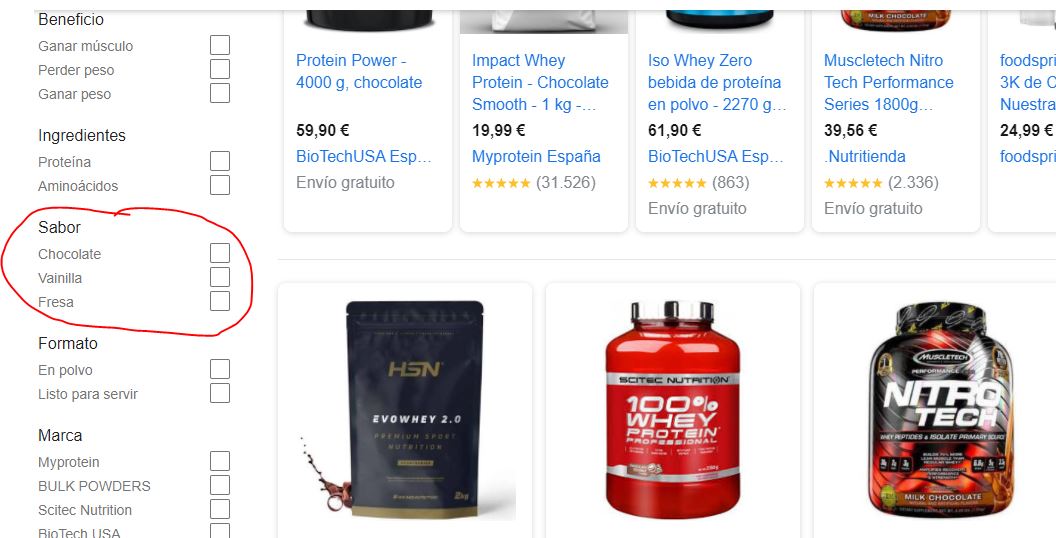
It’s not something that’s used much, but it’s key that you play with the item_group_id since this allows you to create several products from a parent ID. For example, imagine you sell protein, thanks to this option, you can create variations for the flavors of this product and appear in a much better segmented way in the search filters.
Bonus
This tip won’t make you sell more quickly, but it’s a piece of advice that I’ve detected has a significant impact on SEO for Google Shopping, and that’s the prominence of the brand. The more brand citations you have, the more possibilities you have to appear above your competitors. Work on the brand, Google is pushing hard towards this.
All the previous points are key to positioning your listing, but keep in mind that the more brand image your competition works on, the harder it will be for you to surpass them.
If you want me to help you with Shopping, you can contact us through our contact form and we’ll schedule a free pre-audit for your business. I’m sure we can do great things together.